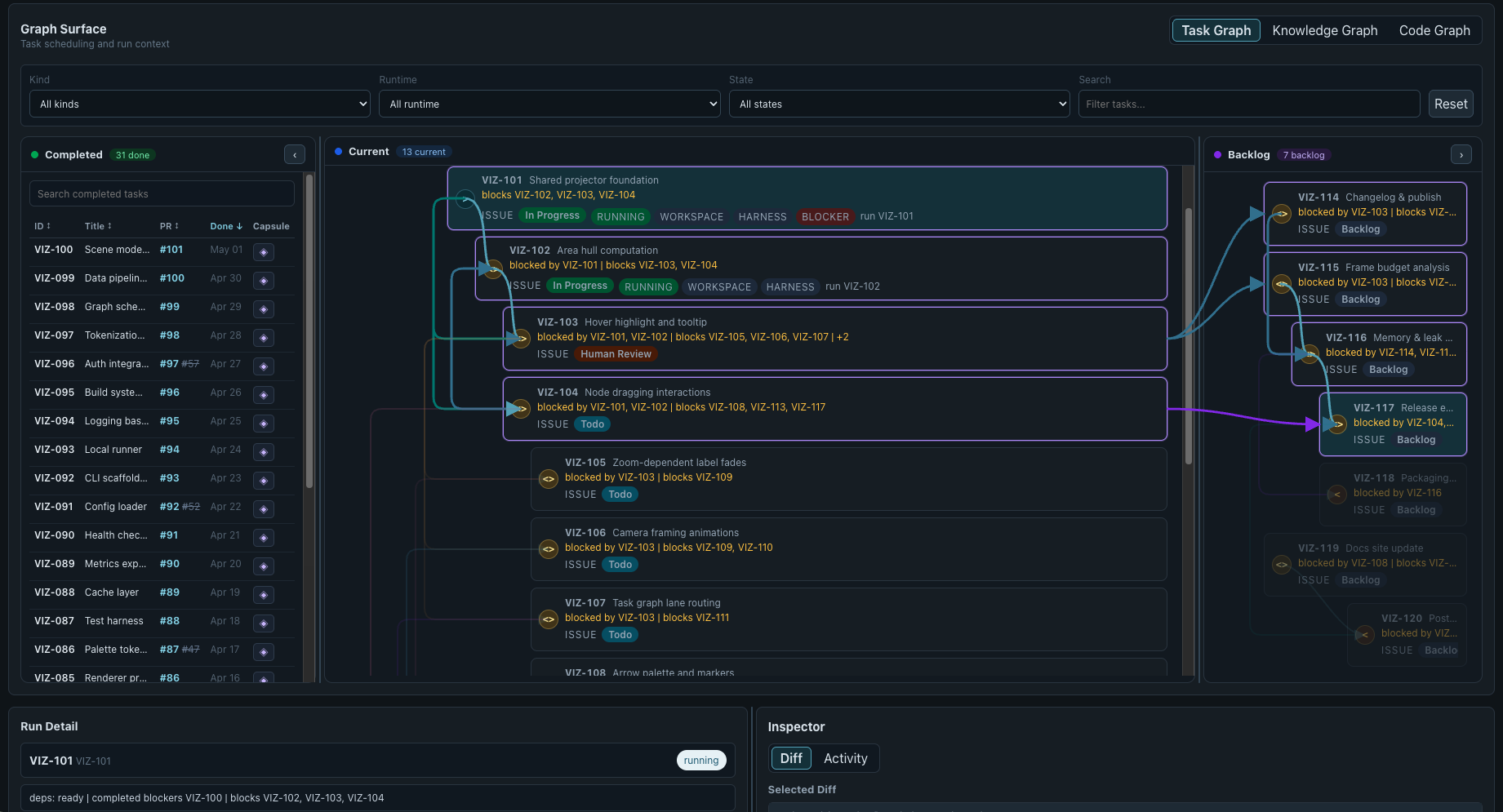
OpenSymphony’s desktop surface now gives operators a clearer view of both the work being coordinated and the project knowledge produced by completed work.
Knowledge Graph
The Knowledge Graph turns captured project memory into a navigable workspace. Operators can explore areas and concepts, open issue capsules in an inspector, follow relationships, and use stable deep links to return to a specific piece of context. Visibility rules, source references, and capsule content remain part of the view.
The result is a practical way to move from a broad project map to the decision, issue, or implementation detail behind it. Read the memory documentation and the Knowledge Graph specification for the model behind the surface.
Three-phase task graph
The desktop task graph now separates work into three connected panes:
- Completed keeps finished issues, pull requests, and memory capsules available for search and inspection.
- Current shows dispatchable work and its live execution state.
- Backlog shows future work, cross-pane blockers, and the ancestry critical path needed to unblock it.
Dependencies are drawn across the panes, while selection and hover state make blockers and critical paths easier to follow. The graph stays live as issue state changes, so work moves between panes without restarting the app.
Install and launch the desktop app
The CLI now exposes a first-run desktop launcher:
opensymphony app
The launcher verifies a compatible cached desktop bundle, installs a release asset when needed, and falls back to a local source build when a compatible bundle is unavailable. opensymphony desktop remains the visible alias. See the desktop operations guide
and installer specification
for the supported flow.
Together, the task graph, Knowledge Graph, run detail, and local launcher make the desktop app a practical operator surface for long-running agent work.